Article by Pushkar Deshmukh
How I Rebuilt My Personal Website Using the Right Tooling (and Almost No Code)
I rebuilt my personal website, pushkardeshmukh.com, using AI-first tooling where most of the heavy lifting was done without writing code. From ChatGPT, Gemini, Cursor to Supabase and Vercel, this post breaks down how the right tools made everything effortless.

Pushkar Deshmukh
Senior iOS Engineer

Intro
A few years ago, when I was actively applying for jobs, I had one very specific goal:
I wanted a custom email ID.
Something like hello@pushkardeshmukh.com
Not because I needed a website—but because that email just hits different on a resume.
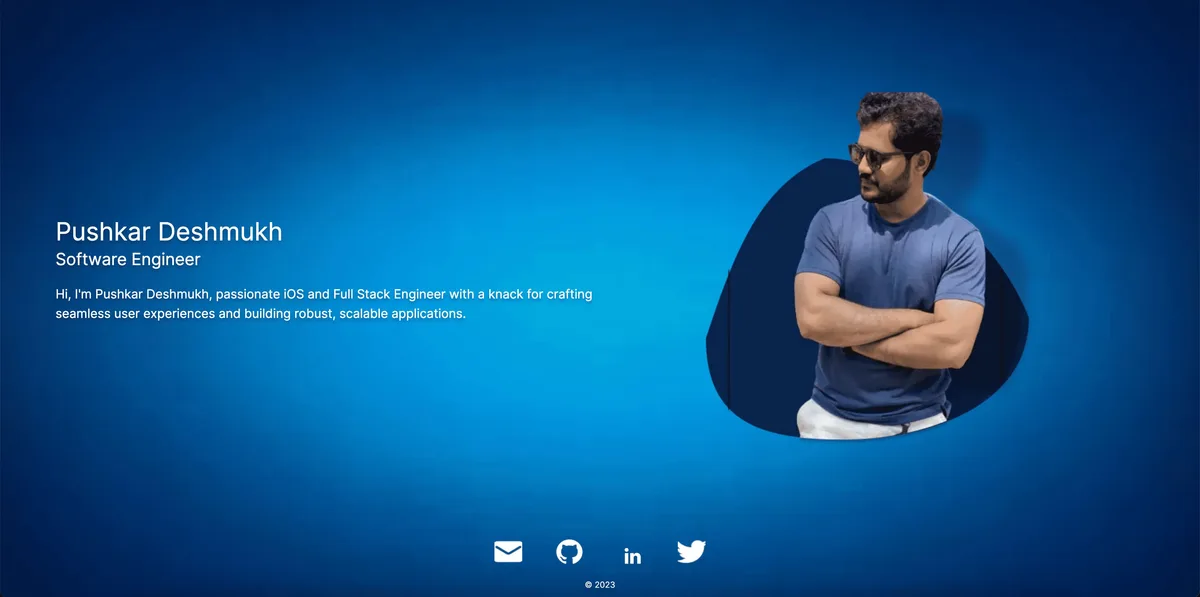
So I bought the domain on GoDaddy, created a very basic single-page website with my photo, and called it a win.
The site was ugly, but the email worked. Mission accomplished ✅
Old Website: What Was Wrong
Over time, the excitement faded.
The website wasn’t evolving.
It wasn’t helping my career.
It wasn’t adding any value.
It was just sitting there… quietly existing on the internet.
At some point, I caught myself thinking:
“Am I really paying for a domain just so an email ID can stay alive?”
That was the moment I decided to revamp the website and actually make it useful.
Goals for the New Website
Before touching anything, I wrote down what I wanted this website to become:
A clean, modern-looking website (the bar was low 😅)
Mobile-first & responsive, because most users browse on phones
A place to showcase my experience and projects
A platform to publish informative blog posts
Better personal visibility—so when someone searches Pushkar Deshmukh, they land on something meaningful
A long-term idea to build a decorative resume generator that pulls data directly from the website
(update content once → resume updates automatically)
These goals were achievable—but only if I chose the right tooling.
Right Tooling: Letting AI Do the Heavy Lifting
This time, I made a very conscious decision:
👉 I would not brute-force this project by writing everything myself.
Instead of asking “How do I build this?”, I asked:
“What tools already exist that can do most of this for me?”
This is where AI completely changed my workflow.
I used ChatGPT and Cursor as my primary tools. Through prompt-driven development, I:
described what I wanted
refined UI and layout
structured pages and content
connected components and features
In most places, no manual coding was required from my side.
My role was mainly:
making architectural decisions
validating what works and what doesn’t
joining all the pieces together
AI did the heavy lifting.
I acted as the integrator.
This approach saved time, avoided over-engineering, and kept the focus on outcomes—not syntax.
Tech Stack & Design Choices
Here’s the final setup that made everything click:
Framework: Next.js
SEO-friendly, fast, and production-readyLanguage: JavaScript
Styling: Tailwind CSS
Clean UI with rapid iterationBackend / Blog CMS: Supabase
PostgreSQL database
Authentication (future-ready)
Storage for blog images and content
Deployment & Hosting: Vercel
This might be the most satisfying part of the stack.
One push to themainbranch—and the app is live in under a minute.
No CI headaches. No manual deployments. It just works 😌
I’m currently running everything on free tiers.
If this project ever explodes in traffic… future me will figure it out 😄
New Website: What Changed
Old version:
New version:
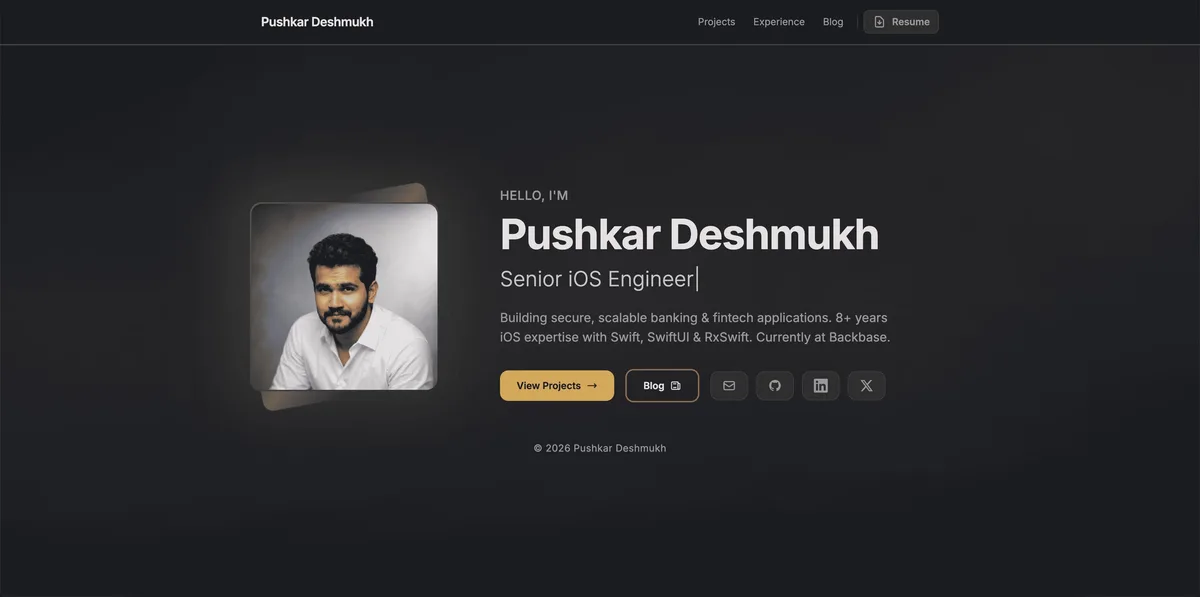
The new website is:
responsive
SEO-friendly
content-driven
and finally doing something useful
It’s no longer just a place for an email ID to exist.
What’s Next
This website is still evolving. Planned improvements include:
A Certifications page with verified links
Comments on blog posts (login-based → more Supabase tables)
More technical and experience-driven blogs
Iterating on the auto-generated resume idea
This blog marks the beginning of a simple realization:
Sometimes, the smartest engineering decision is knowing what not to build yourself.
The right tooling—and a help from AI—can take you very far.


Comments
Loading comments…